
Checking music copyright on YouTube
How to check whether a song will be blocked on YouTube before submitting it to the contest.
Organizers often run into problems when streaming concerts or publishing entries on YouTube.
Sometimes videos are blocked or played without sound because of copyright.
Before choosing a song, always check its status.
How to check a song
The simplest way is to upload a test video.
-
Make a video with:
- any image, even a black screen
- the audio track you want to use
-
Upload the video to your YouTube channel.
-
After processing, open: YouTube Studio -> Content
The restriction status will be shown there.
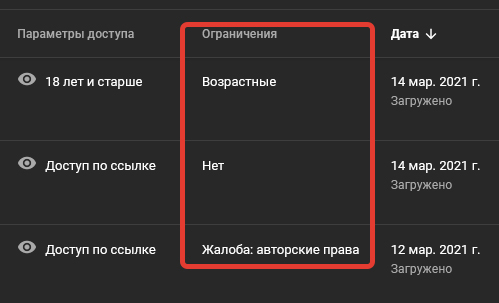
Types of restrictions
Copyright
The video has a copyright claim from the rights holder.
This is the main section we care about.
Terms and policies
Possible reasons:
- prohibited content
- subscriber manipulation
- violation of YouTube rules
- use of another person's trademarks
- content complaints
Age restrictions
- Set by you
- Assigned by YouTube
Made for kids
- Marked by you
- Determined by YouTube
Ad restrictions
If the video does not meet advertiser-friendly content requirements, monetization can be limited or disabled.
What to do next
Click See details to view the restriction details.
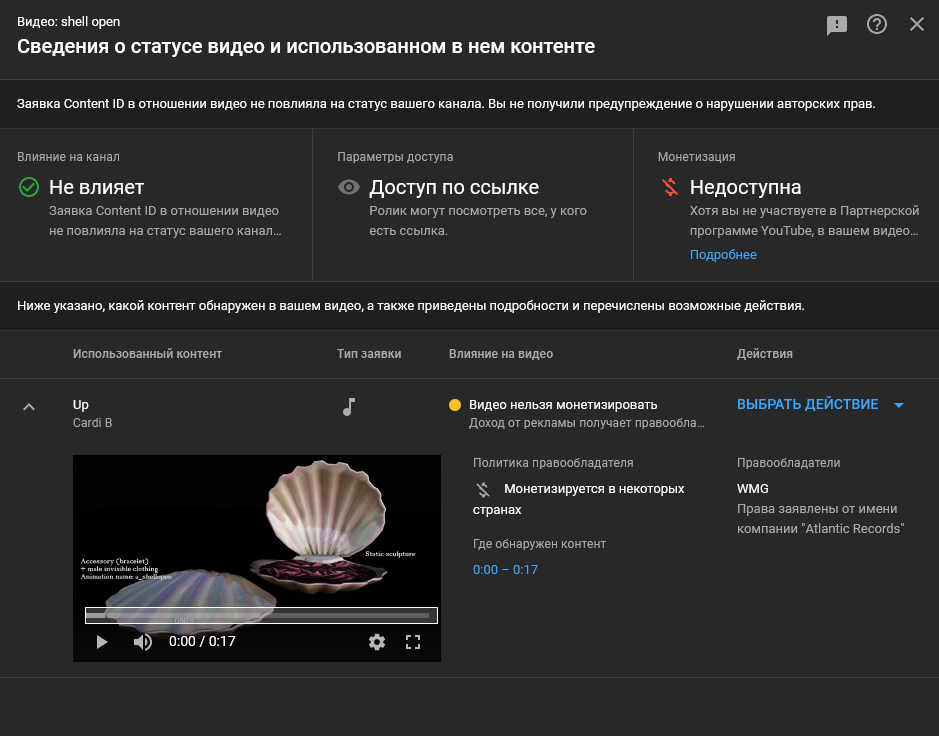
Important:
- tracks with copyright claims are allowed
- fully blocked tracks cannot be used
Do not delete the test video until the check is complete. Keep it available by link so you can show it to the organizer during entry approval.