

The Sims 3Video filming
Fog emitter and effects in Sims 3
How to use the fog emitter and visual effects in The Sims 3 to create scenes.
To create effects without using computer graphics, you can use the fog emitter included in the base game tools.
The fog emitter appears in The Sims 3 with the Ambitions expansion pack.
How to find the fog emitter
- Enter the developer cheat:
TestingCheatsEnabled true
- Then enable debug mode:
buydebug
- A section with a question mark will appear in Buy Mode.
The object that looks like a green mirrored sphere is the fog emitter.
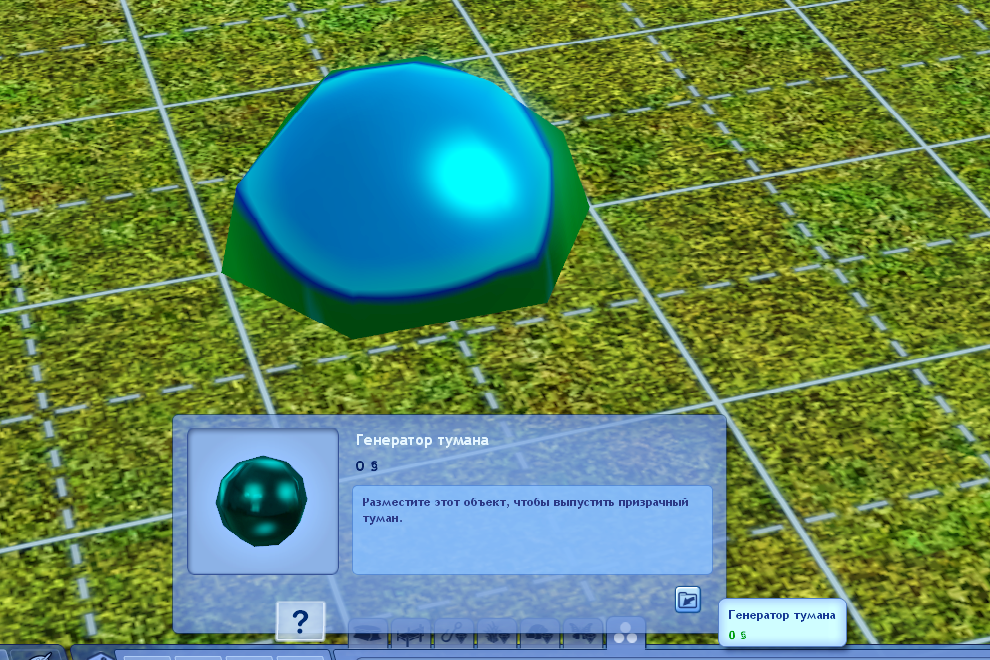
How to change the effect
By default, the emitter creates regular fog, but you can change it.
- Hold Ctrl + Shift
- Click the object
- Select Set Visual Effect
- Enter the effect code
Effect list:
https://darasims.com/stati/tutorial/tutor_sims3/898-generator-tumana-i-vizualnye-effekty-v-sims-3.html
Summary
The fog emitter is a simple way to add:
- smoke
- atmospheric effects
- visual accents
It works without external software or complicated graphics.